MIUI Evolution Reload Clock3.2.2.1
Publisher Description
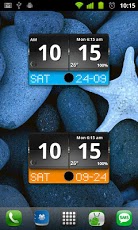
MIUI Evolution Reload Digital Weather clock widget with Calendar, Time, System info,weather & forecastA Digital Clock widget with size 4x2It features:============8 beautiful skins12/24 hour clock+ Color choice on all info displayedSystem Stats Info + pop-upWeather & ForecastDate option for month first or month second2 Forecast layouts(user choice)Interactivity=============+tap bottom right->preferences+tap bottom left->system information dialog+tap weather icon->forecast+tap Hour->launch anything!+tap Minutes->launch anything!Widgets on Android work a bit differently than a normal application. Unlike regular programs they don't just install themselves in the application tray so you have to add them manually. They will not open or launch.Here's how to add a widget on your Android home screen.STEPS HOW TO ADD A WIDGET==========================1.On your Android home screen, tap any blank or “empty†area with size 4x2 and hold down your finger.2.An “Add to Home screen†window will pop up. From that window, tap “Widgetsâ€Â.3.You’ll be presented with a list of all the installed Widgets on your Android device.4.Select the "MIUI Evolution Reload Digital Clock†to add to your home screen by tapping it.Notes====="Time frozen/not updating"-> taskiller killed the clock(exclude it from taskillers)When phone starts, clock starts in less than a min too.ROM users-> make sure the clock is NOT moved on SD card.Widgets are not supposed to be on SD card. Move it back to the phone storage.Weather hint: For world destinations with two words in the name, type in the box the words with a plus sign.For example "Buenos Aires" type "Buenos+Aires",remember the "+" sign -no spaces, don't include the quotes.Email problems/suggestionsCheck our website for more help.EXCLUDE IT FROM TASKILLERS!!!Be polite, this is a free app :-)VIDEO HOW TO ADD WIDGETShttp://www.youtube.com/watch?v=DpMLF9b2aTQ
About MIUI Evolution Reload Clock
The company that develops MIUI Evolution Reload Clock is Factory Widgets. The latest version released by its developer is 3.2.2.1. This app was rated by 1 users of our site and has an average rating of 5.0.
To install MIUI Evolution Reload Clock on your Android device, just click the green Continue To App button above to start the installation process. The app is listed on our website since 2011-10-27 and was downloaded 140 times. We have already checked if the download link is safe, however for your own protection we recommend that you scan the downloaded app with your antivirus. Your antivirus may detect the MIUI Evolution Reload Clock as malware as malware if the download link to factory.widgets.MIUIEvolutionReloadDigitalClock is broken.
How to install MIUI Evolution Reload Clock on your Android device:
- Click on the Continue To App button on our website. This will redirect you to Google Play.
- Once the MIUI Evolution Reload Clock is shown in the Google Play listing of your Android device, you can start its download and installation. Tap on the Install button located below the search bar and to the right of the app icon.
- A pop-up window with the permissions required by MIUI Evolution Reload Clock will be shown. Click on Accept to continue the process.
- MIUI Evolution Reload Clock will be downloaded onto your device, displaying a progress. Once the download completes, the installation will start and you'll get a notification after the installation is finished.
Program Details
System requirements
Download information
Pricing
Version History
version 3.2.2.1
posted on 2011-10-27
version 3.2.2.1
posted on 2011-10-27
Several fixes and updates
